
Report: Detail Stock Card
Detail Stock Card is the main audit report for item movement. Use it to answer why stock changed.
Menu Location and Access
Open Report -> Detail Stock Card. The user role must include report access.
Important: Price-related columns in this report appear only when company pricing is enabled and the user role is allowed to see price.
Filters and Options
| Field / Option | Meaning |
|---|---|
| Warehouse | Warehouse or storage location being reviewed. |
| Warehouse Group / Group by Warehouse | When Warehouse Grouping is enabled, users can filter or aggregate by Warehouse Group. See Master Data: Warehouse. |
| Item | Item being reviewed. |
| Date Range | Transaction period included in the report. |
| Transaction Type | Optional filter for Item Receipt, Item Issue, Item Move, Item Adjustment, Item Assembly, or Item Disassembly. |
| Show Detailed Product Info | Adds product master data. Default Cost appears only when pricing is enabled and allowed. |
| Show Detailed Transaction Info | Adds document details. Unit Price appears only when pricing is enabled and allowed. |
Generate the Report
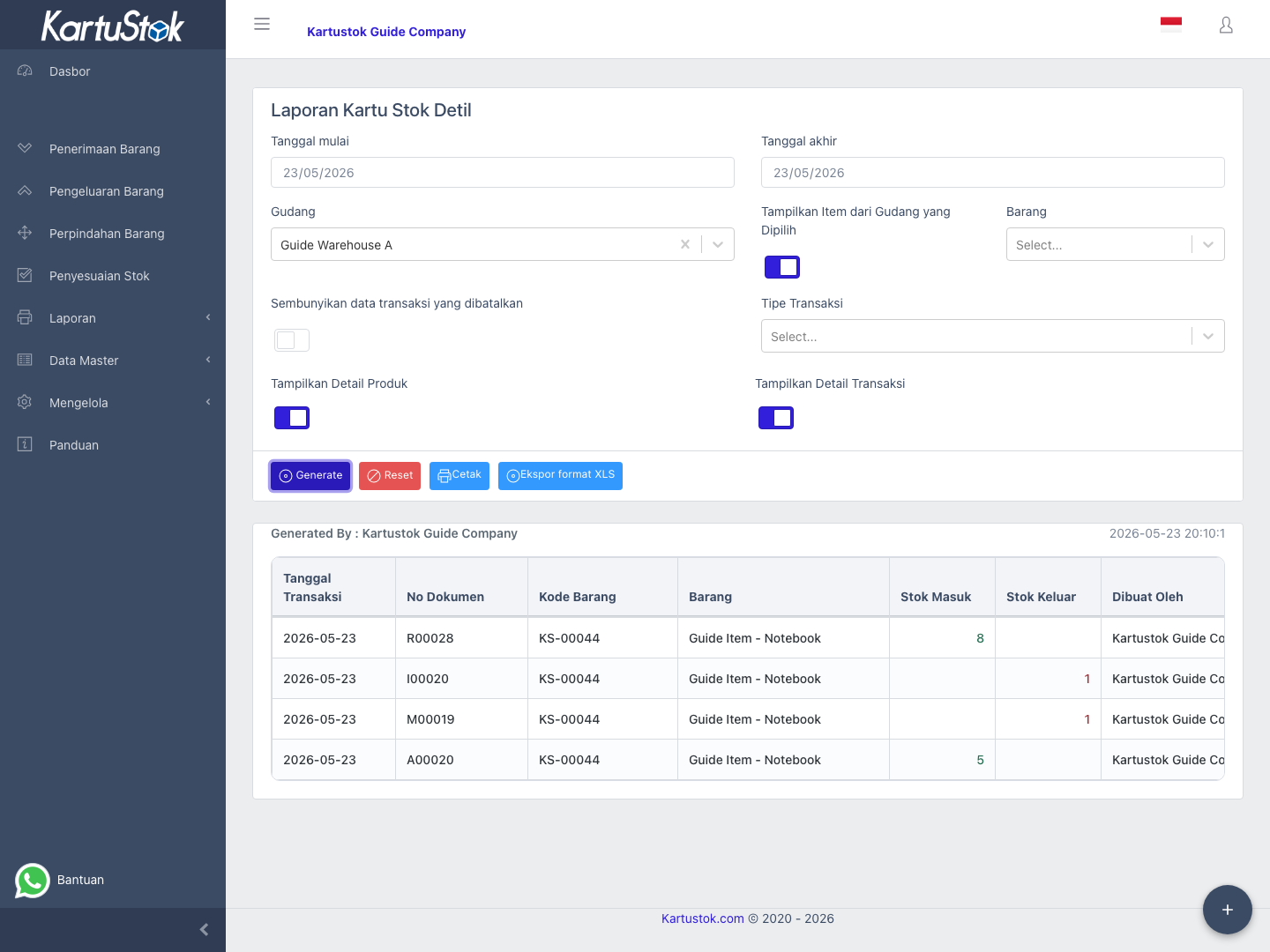
- Select warehouse.
- Select item.
- Choose the date range.
- Enable detailed product or transaction options if needed.
- Select Generate.
- Review movement rows and running quantity.
Practical Example: Audit One Item
A supervisor wants to know why Packaging Tape changed from 100 pieces to 138 pieces.
| Step | User Action | What to Look For |
|---|---|---|
| 1 | Select the warehouse where the item is stored. | Avoid mixing movement from unrelated warehouses. |
| 2 | Select Packaging Tape. | The report focuses on one item. |
| 3 | Set the date range covering the suspected change. | Missing dates are a common reason for incomplete audit results. |
| 4 | Enable Show Detailed Transaction Info. | Document type, category, and optional price fields become easier to review. |
| 5 | Generate the report. | Review opening balance, each in/out movement, and final balance. |
Use this report to trace operational questions such as:
| Question | Report Clue |
|---|---|
| Who increased stock? | Receipt or positive adjustment row. |
| Why did stock leave the warehouse? | Issue, Move out, or negative adjustment row. |
| Was stock transferred to another warehouse? | Move rows with related source/destination context. |
| Did a correction change balance? | Adjustment row with description or category. |
| Did a stock transformation change balance? | Item Assembly or Item Disassembly rows generated from BOM-based input/output movements. |
How to Read It
| Column Type | Meaning |
|---|---|
| Opening / Balance | Stock position before or after movement. |
| In Quantity | Quantity added by Receipt, Move in, positive adjustment, Item Assembly output, or Item Disassembly output. |
| Out Quantity | Quantity removed by Issue, Move out, negative adjustment, Item Assembly input, or Item Disassembly input. |
| Document Info | Transaction number, type, date, or category. |
| Price Info | Price columns shown only when company and role allow it. |
Detailed Options
| Option | Use When |
|---|---|
| Show Detailed Product Info | You need item master context such as category, UOM, or Default Cost when Pricing is enabled. |
| Show Detailed Transaction Info | You need document context such as transaction category, reference, custom fields, or Unit Price when Pricing is enabled. |
Print and Export
After results appear, use Print or Export to Excel. If results are empty, action buttons should not be used because the current filter has no data.
Common Problems
| Problem | Fix |
|---|---|
| Generate shows no data | Check warehouse, warehouse group, item, date range, transaction type, and completed transaction status. |
| Price columns are missing | Check Company Settings for Enable Price and the Price row in Roles & Permissions. |
| Warehouse field is required | Select a warehouse before generating. |
| Balance does not match expectation | Compare opening date, hidden voided transactions, and whether the movement happened in another warehouse. |