
Master Data: Warehouse
Warehouse represents the stock location structure used by transactions and reports. Depending on company settings, it can be a simple warehouse list or a two-level Warehouse Group -> Location structure.
When to Use Warehouses
Use warehouses when stock must be separated by physical responsibility or storage area. A warehouse can be a main warehouse, branch store, room, quarantine area, or staging area.
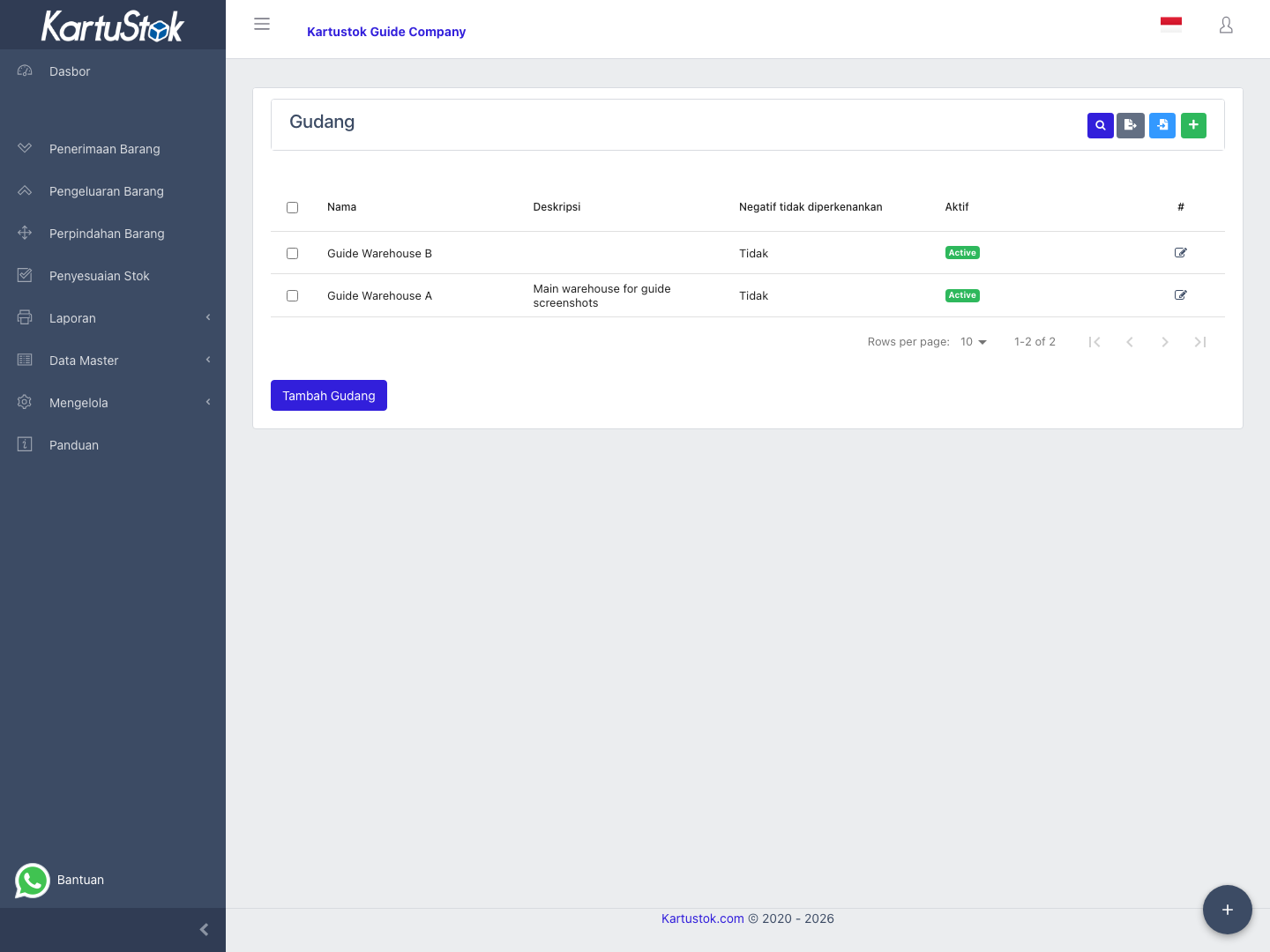
Warehouse Group and Location
If Enable Warehouse Grouping is active in Company Settings, KartuStok separates the location structure into two levels:
| Level | Use It For | Example |
|---|---|---|
| Warehouse Group | The parent warehouse, branch, site, or large operational area. | Bandung Branch, Jakarta DC, Production Area. |
| Location | The detailed stock location inside the group. | Main Storage, Return Area, Staging Area, Rack A. |
Example structure:
| Warehouse Group | Locations |
|---|---|
| Bandung Branch | Main Storage, Return Area, Staging Area |
| Jakarta Branch | Main Storage, Display Area |
Use a simple warehouse list when the company only needs one level, for example Main Warehouse and Branch Warehouse. Use Warehouse Grouping when the same location names can appear under different branches, or when reports must roll stock up by branch/site.
Important: Warehouse Group controls how users choose locations in transactions and reports. It is not the same as user access. Access is still controlled from Roles & Permissions.
Menu Location and Access
Open Master Data -> Warehouse. Create, update, delete, and import actions depend on warehouse permissions.
Field Guide
| Field | Meaning | Recommended Practice |
|---|---|---|
| Name | Warehouse group or location name shown to users. | Use operational names such as Bandung Branch, Main Storage, or Store Room A. |
| Description | Optional note about the location. | Use it for address, room, shelf, or operational notes. |
| Disallow Negative | Prevents stock in the warehouse from going below zero when active. | Use it for controlled warehouses. |
| Status | Whether the warehouse can be selected. | Deactivate closed locations instead of deleting them. |
Create a Warehouse
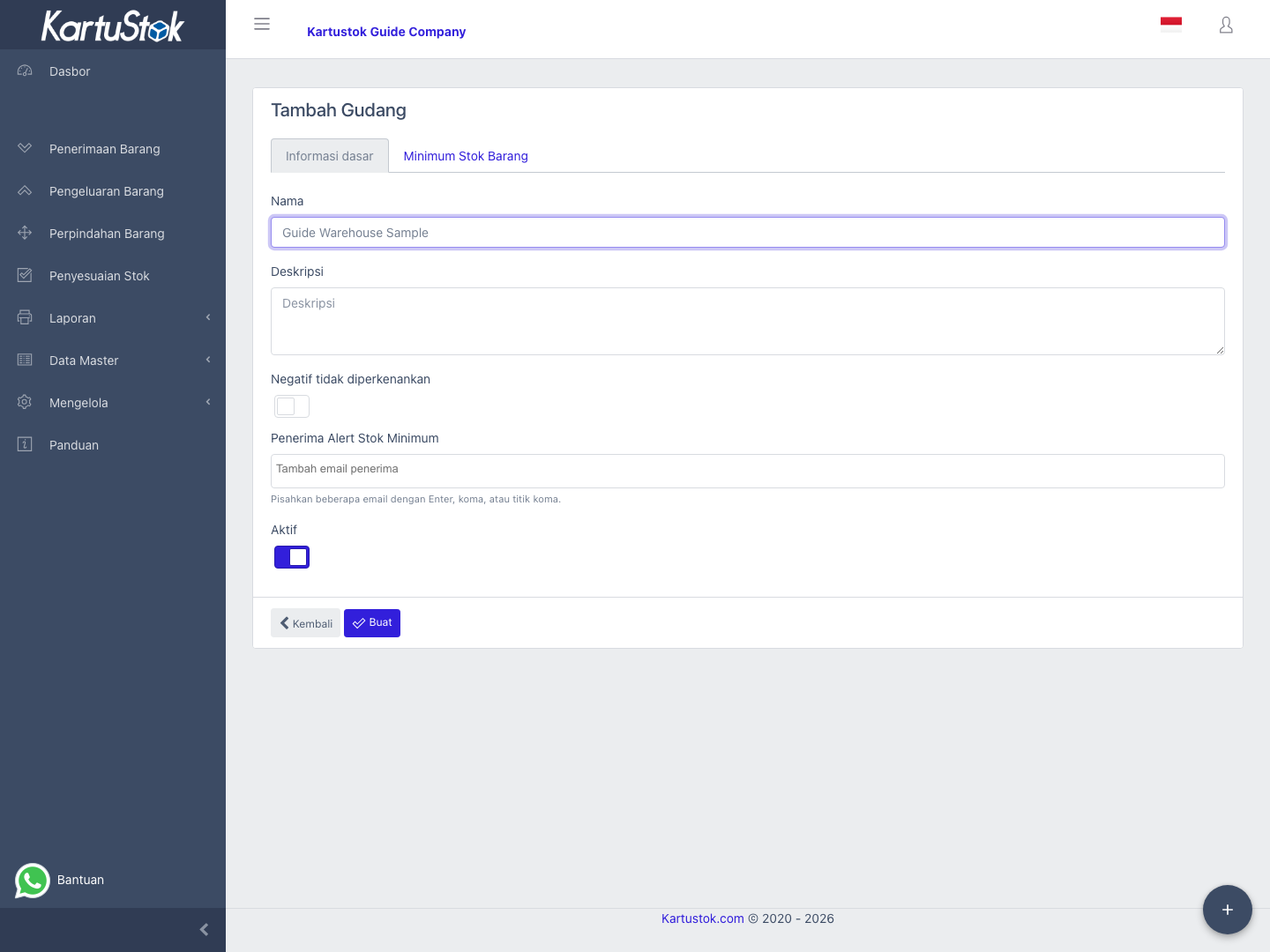
- Open Master Data -> Warehouse.
- Select Create Warehouse.
- If Warehouse Grouping is active, choose or create the related Warehouse Group first.
- Fill location name and description.
- Decide whether negative stock should be disallowed.
- Save.
- Use the warehouse in Receipt, Issue, Move, Adjustment, Stock Transformation, and reports.
Operational Examples
| Scenario | Suggested Warehouse Setup | Why |
|---|---|---|
| One main warehouse | Simple warehouse list: Main Warehouse. | Simple stock control. |
| Branch stock | Warehouse Groups: Bandung Branch, Jakarta Branch; Locations: Main Storage, Return Area. | Reports can compare stock by branch and still show detail by location. |
| Quality hold process | Locations: Receiving, QC Hold, Available Stock. | Receipt can land in receiving/hold before available stock. |
| Delivery staging | Locations: Picking Area, Staging Area. | Move can track goods prepared before shipment. |
Warehouse and Minimum Stock
If the company uses warehouse-level minimum stock, each simple warehouse, detailed Location, or Warehouse Group can have its own minimum quantity per item depending on Warehouse Grouping and the selected minimum stock mode. Set the mode in Company Settings before maintaining warehouse minimum stock data.
When the Location-level mode is active, warehouse pages also provide minimum stock maintenance for the detailed Location. When Warehouse Group-level mode is active, minimum stock is maintained against the Warehouse Group.
Warehouse and User Defaults
Users can have a default warehouse. This helps forms open with the expected warehouse context and reduces input mistakes.
Default Warehouse only preselects a value. It does not grant access. Use Roles & Permissions to control which warehouses or locations a user may access.
Common Problems
| Problem | Fix |
|---|---|
| Warehouse is not selectable | Confirm it is active and the user has access. |
| Location list is empty after choosing a Warehouse Group | Confirm locations exist inside that Warehouse Group and are active. |
| Minimum stock report is empty | Confirm minimum quantity exists for that warehouse. |
| Delete fails | The warehouse may already have stock history. Deactivate it instead. |