
Email Template
Email Template lets an administrator adjust company email wording for supported KartuStok notifications.
Use it when the company wants notification wording to match internal language or escalation rules.
Menu Location and Access
Open Manage -> Others -> Email Template. The role needs email template view access. Updating a template requires email template update access.
What Companies Can Edit
For normal company accounts, the email template list is limited to templates that KartuStok exposes for company-level editing. The current company-facing template set includes the minimum quantity notification template.
List and Update Page
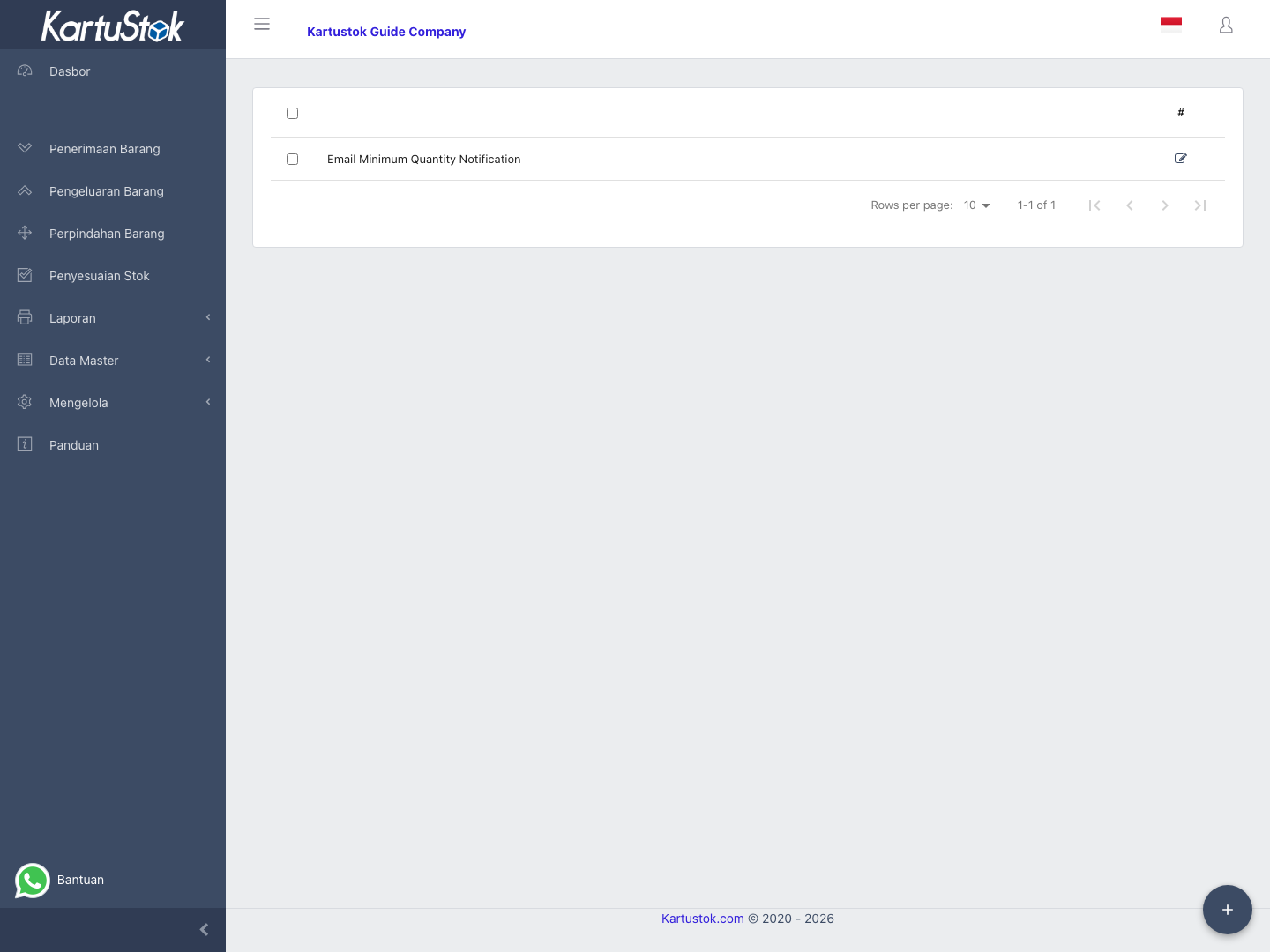
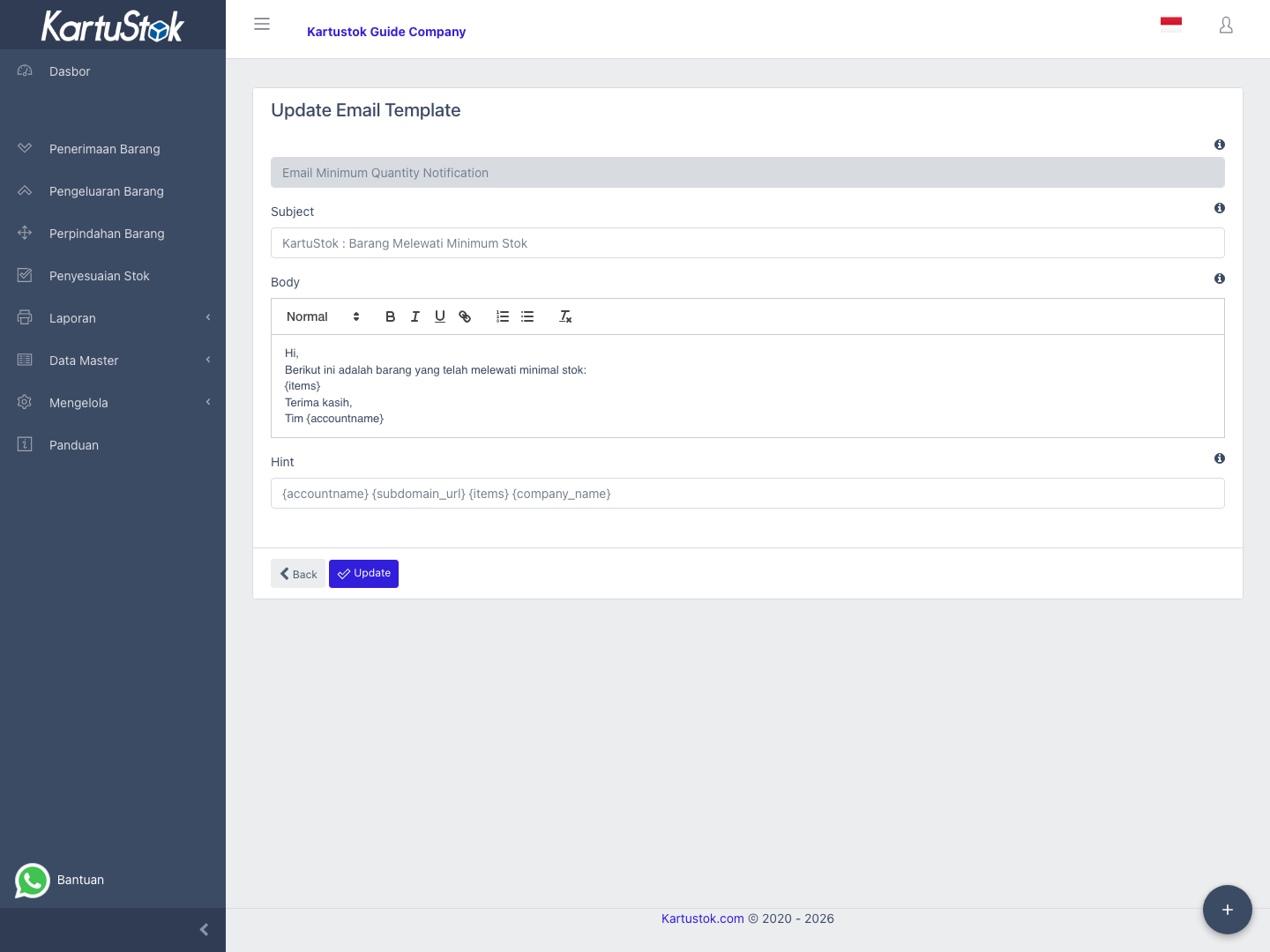
| Area | Meaning |
|---|---|
| Template list | Shows editable template names. Select a row or edit button to update it. |
| Name | Template name. It is read-only on the update form. |
| Subject | Email subject line. |
| Body | Email body edited with a rich text editor. |
| Hint | Available placeholders that can be inserted into the body. |
Editing Flow
- Open Email Template.
- Select the template to edit.
- Update Subject and Body.
- Keep required placeholders from the Hint area when the message needs dynamic data.
- Select Update.
Operational Example: Minimum Stock Notification
When minimum stock notification is used, the email should tell recipients what happened and what action is expected.
| Email Part | Recommended Content |
|---|---|
| Subject | Clear alert such as Minimum stock notification. |
| Body opening | Explain that one or more items are below minimum quantity. |
| Body detail | Keep required placeholders from the Hint area so item data can be inserted. |
| Action text | Ask the recipient to review the minimum stock report or create replenishment action. |
Do not remove placeholders shown in Hint unless you are sure the email no longer needs that dynamic value.
Good Practices
- Keep the subject short and action-oriented.
- Keep placeholders intact unless you are sure they are not needed.
- Use clear operational wording, especially for minimum stock notifications.
- Send a real operational check after editing by triggering the related notification flow.
Common Problems
| Problem | Fix |
|---|---|
| Template list is empty or limited | Confirm the company has templates exposed for editing and the role has access. |
| Name cannot be changed | This is expected; the update form treats Name as read-only. |
| Dynamic data is missing in email | Reinsert the needed placeholder from Hint. |
| User cannot update | Check email template update permission. |