
Report: Daily Stock Pivot
Daily Stock Pivot shows stock movement by date. It is useful for finding movement patterns before opening a detailed audit report.
Menu Location and Access
Open Report -> Daily Stock Pivot. The role must include access to this report.
When to Use It
Use Daily Stock Pivot when you need to see which dates had movement for selected stock.
| Need | Example |
|---|---|
| Daily activity review | See whether stock moved every day during a period. |
| Spike investigation | Find dates with unusually high receipt, issue, move, adjustment, assembly, or disassembly activity. |
| Starting point for audit | Identify the date, warehouse, item, or transaction type before using Detail Stock Card. |
Filters and Options
| Field / Option | Meaning |
|---|---|
| Date From / Date To | Required report period. The page validates the range. |
| Warehouse | Required multi-select warehouse filter. |
| Warehouse Group / Group by Warehouse | When Warehouse Grouping is enabled, users can filter or aggregate by Warehouse Group. |
| Item Name | Optional item filter. It is enabled after warehouse selection. |
| Transaction Type | Optional filter for Item Receipt, Item Issue, Item Move, Item Adjustment, Item Assembly, or Item Disassembly. |
| Sort By | Sorts by Item Name or Item Code. |
| Hiding out of stock items | Hides items without stock. |
| Show only moving items | Focuses on items with movement. |
| Show inactive product | Includes inactive items. |
| Show Detailed Product Info | Adds configured product detail columns to the pivot result. |
Generate, Print, and Export
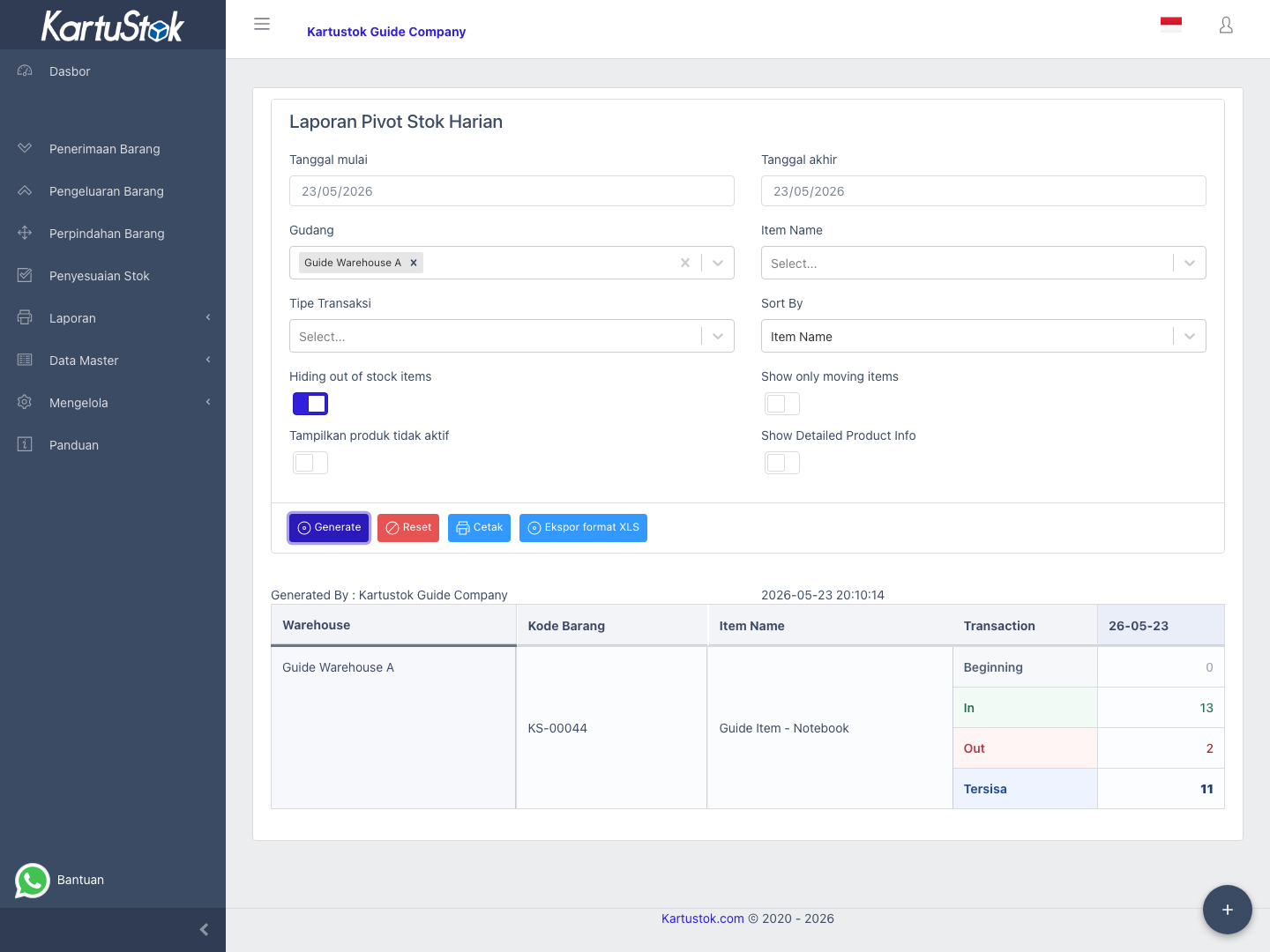
- Select a date range.
- Select at least one warehouse.
- Add item or transaction type filters if needed.
- Select Generate.
- Review date columns in the pivot table.
- Use Print or Export to Excel after the result appears.
Practical Example: Find Unusual Activity
An operations lead wants to know why stock activity was high last week.
| Step | User Action | Result to Check |
|---|---|---|
| 1 | Select a one-week date range. | The pivot stays readable. |
| 2 | Select the relevant warehouse. | The report has enough context to load item options. |
| 3 | Filter transaction type if the review only concerns stock out, transfer, assembly, or disassembly. | The pivot focuses on the movement type. |
| 4 | Generate. | Daily columns show movement patterns. |
| 5 | Open Detail Stock Card for a suspicious date. | Document-level rows can be audited. |
Common Problems
| Problem | Fix |
|---|---|
| Warehouse cannot be blank | Select at least one Warehouse before generating. |
| Date range validation appears | Use a valid Date From and Date To range. |
| Item field is disabled | Select warehouse first. |
| Need document details | Use Detail Stock Card after identifying the date. |