
API Access
API Access is the administrator screen for creating read-only public API tokens for external systems.
Use it when another trusted system must read KartuStok data such as company metadata, items, warehouses, item categories, or stock reports. Typical examples are BI dashboards, data warehouse sync jobs, integration middleware, and internal monitoring tools.
What API Access Is For
API Access is designed for read-only integration.
It is suitable when an external system needs to:
- read company metadata
- read item master data
- read warehouse master data
- read item category master data
- read stock summary or stock detail report data
It is not designed for:
- creating or updating transactions
- changing master data
- managing users, roles, print templates, or email templates
If your team only needs one-time spreadsheet exchange, import/export is usually simpler than API integration.
Menu Location and Access
Open Manage -> Integrations -> API Access.
| Action | Permission |
|---|---|
| View API tokens | apiAccessView |
| Generate token | apiAccessCreate |
| Revoke token | apiAccessRevoke |
Token List
The list shows:
| Column | Meaning |
|---|---|
| Name | Label for the integration, for example BI Dashboard or ERP Sync. |
| Prefix | First part of the token. Useful for identifying which token is being used later. |
| Scopes | Read scopes granted to the token. |
| Status | Active or Inactive. |
| Last Used | Last recorded usage time, if available. |
| Expires | Optional expiry date. |
| Revoke | Action to deactivate the token. |
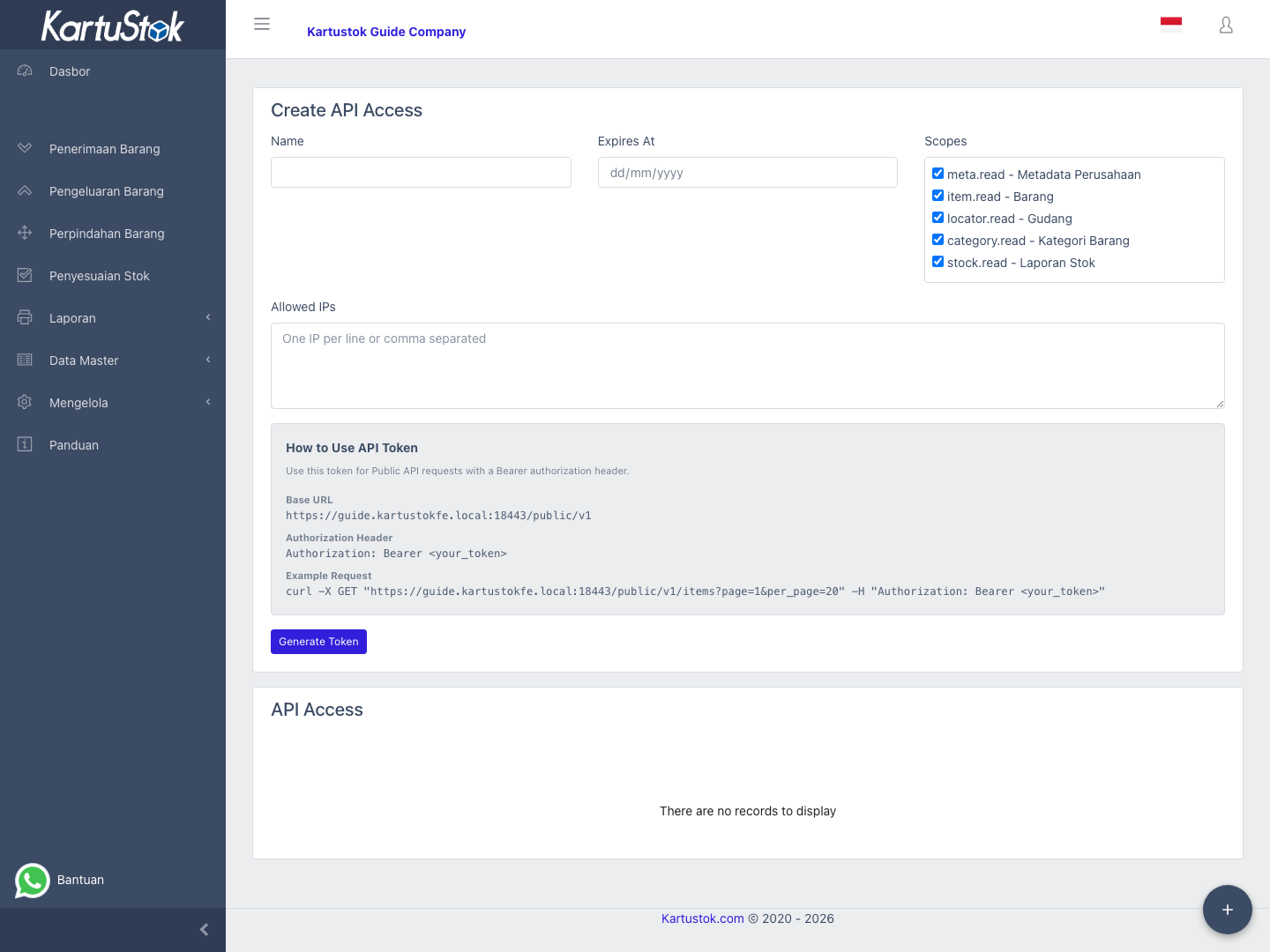
Create API Access
| Field | Meaning |
|---|---|
| Name | Required integration label. |
| Expires At | Optional expiry date. If blank, the token has no configured expiry date. |
| Scopes | At least one scope must be selected. |
| Allowed IPs | Optional IP allowlist. Enter one IP per line or separate them with commas. CIDR notation is not supported. |
Available scopes:
| Scope | Data Access |
|---|---|
meta.read | Company metadata and health check |
item.read | Item list and item detail |
category.read | Item category list |
locator.read | Warehouse list |
stock.read | Stock summary and stock detail reports |
After selecting Generate Token, KartuStok shows the full token once in a Copy Token Now card.
Important: The full token is shown only once. If it is not copied and stored immediately, create a new token.
How the Integrator Uses It
The page also shows a live example based on the current company domain:
- Public API base URL
- Bearer authorization header format
- Example request to
/public/v1/items
The public API always uses the company frontend domain, not the member.kartustok.com domain.
Example:
https://your-company.kartustok.com/public/v1Admin Handoff to Integrator
Use this handoff flow when an administrator prepares access for a developer or external vendor:
- Create a token with a clear integration name.
- Select only the scopes that integration needs.
- Set
Expires Atif the access should not be permanent. - Fill
Allowed IPsif the integration runs from stable server IPs. - Copy the token immediately and store it in the destination system.
- Ask the integrator to test
healthfirst, thenmeta/company, before reading items or stock.
Create one token per integration. Do not reuse the same token across unrelated systems.
Technical References for Integrators
Use these technical files when the integration team needs endpoint-level details:
The technical documents explain:
- endpoint paths
- query parameters
- scope requirements
- opaque public IDs
- example requests and responses
- warehouse terminology compatibility (
/locators,locator_id) - stock report transaction types, including
ItemAssemblyandItemDisassembly
Common Problems
| Problem | Fix |
|---|---|
| Token disappeared after creation | This is expected. The full token is shown only once. Create a new token if it was not stored. |
External system gets Unauthorized | Check the bearer token value, token status, expiry date, and that the request uses the company domain. |
External system gets Forbidden | Check scope selection and Allowed IPs. |
Developer uses member.kartustok.com | Public API must use the company frontend domain, for example https://your-subdomain.kartustok.com/public/v1. |
| Integration should no longer work | Revoke the token from the list. |
Security Practice
- Create one token for one integration.
- Give each token the smallest scope set possible.
- Use
Allowed IPswhen the integration runs from stable infrastructure. - Revoke tokens that are no longer used.
- Rotate tokens when vendor ownership, server ownership, or credentials custody changes.
- Store tokens in a secure secret manager or server-side configuration, not in browser code.