
Master Data: Item Category
Item Category groups items so lists, reports, and imports are easier to manage.
Menu Location and Access
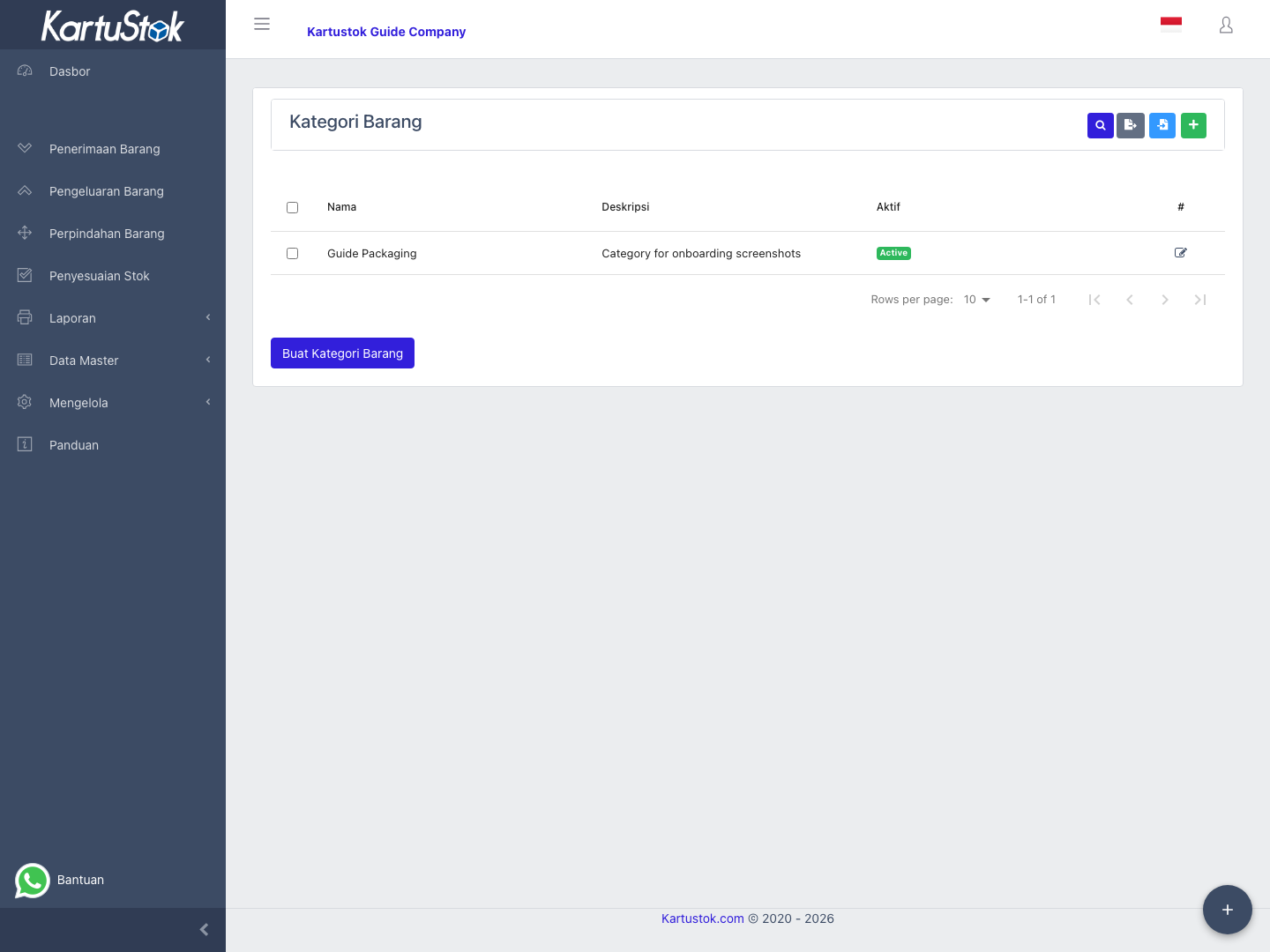
Open Master Data -> Item Category. The role needs item category access. Create, update, delete, and import actions depend on their own permissions.
When to Use Item Categories
Use categories for business groupings such as raw material, finished goods, spare part, packaging, asset, or consumable. A category should help users filter or understand items; avoid categories that duplicate item names.
Operational Examples
| Business | Useful Categories | Why |
|---|---|---|
| Manufacturing | Raw Material, Packaging, Finished Goods, Spare Part. | Helps separate production inputs and outputs. |
| Retail warehouse | Fast Moving, Slow Moving, Display, Return. | Helps stock review and replenishment. |
| Maintenance stock | Electrical, Mechanical, Safety, Consumable. | Helps technicians find spare parts. |
Do not create one category per item. If the category name is almost the same as the item name, the category will not help filtering or reporting.
Field Guide
| Field | Meaning | Recommended Practice |
|---|---|---|
| Name | Category display name. | Keep it short and understandable. |
| Description | Extra explanation for the category. | Use it when category naming needs context. |
| Is Active | Whether the category can be selected. | Deactivate old categories when users should stop using them. |
Create a Category
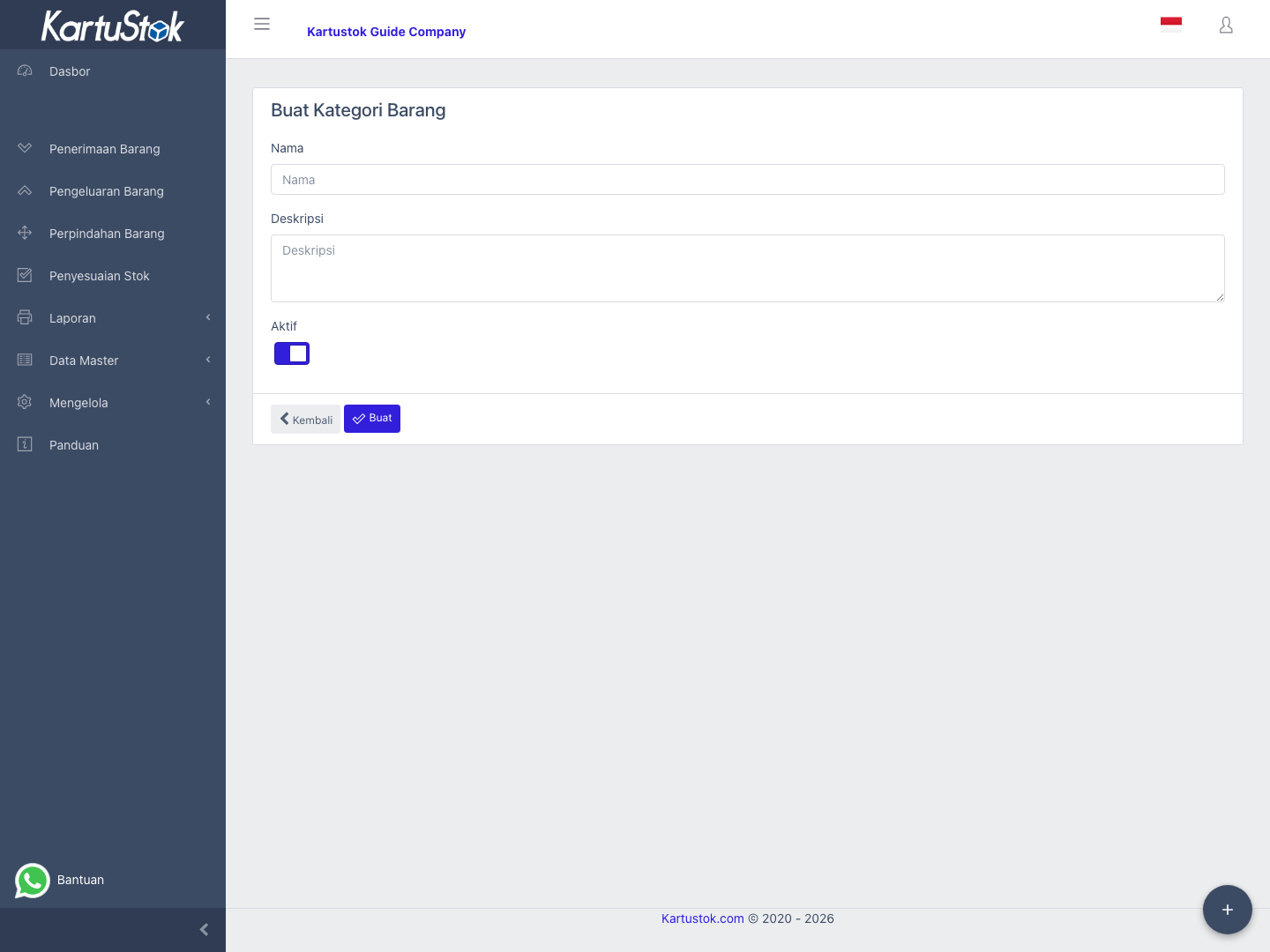
- Open Master Data -> Item Category.
- Select Create Item Category.
- Fill Name and Description if needed.
- Keep Is Active enabled when the category can be used.
- Save and confirm it appears in the list.
Update or Deactivate a Category
Open the category from the list, change name, description, or active status, then save. If a category should no longer be selected, set it inactive instead of changing its meaning.
Import Categories
Use Manage -> Import -> Import Item Category for bulk category setup. Import categories before importing items.
Common Problems
| Problem | Fix |
|---|---|
| Category does not appear in Item form | Confirm the category is active and user has access. |
| Import fails | Check required columns and duplicate names. |
| Users keep selecting the wrong category | Rename it clearly or set old categories inactive. |